




 Genuine commercial
 Official authorization
 Formal invoice
2 days(Holidays postponed)
Formal invoice
2 days(Holidays postponed)

Font description
In a not-too-distant future, humanity was ruled by a powerful, technologically advanced empire known as the Synod. The Synod controlled all forms of communication, and through this, they controlled the minds of the people.
But a small group of rebels, known as the Resistance, had managed to evade the Synod's surveillance and formed a secret underground movement. They were determined to overthrow the Synod and restore freedom to the people.
One of the Resistance's key members was a young artist named Trystån. He had a unique talent for creating powerful, visually striking posters that captured the spirit of the Resistance's message and spread it to the masses.
Trystån had just completed a new poster, one that would be critical to the Resistance's plans. It depicted a single, outstretched hand holding a traditional Kimarii laser staff, with the words "Libertat!" emblazoned across the top.
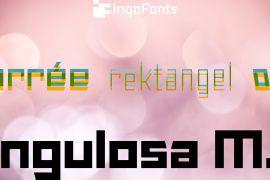
The poster featured a striking and powerful font that perfectly captured the spirit of the Resistance's message. The font was a combination of bold lines, elegant confident curves, and strong angles, giving it a sense of strength and determination.
The lettering was large and prominent, filling up much of the poster, making it hard to miss. The letters seemed to be almost carved into the surface, giving the impression of something that was permanent and unshakable. The font was colored in dark shades, and was a sans serif typeface, that gives the message a very modern and current feel yet also feels vintage and retro, connecting the present with the struggles of the past. And with multilingual support, the typeface ensured that the message of the Resistance could be disseminated in every language on the planet.
The background was minimalistic and in contrast, with a neutral palette, with just a hint of a sand-like color, representing the harsh conditions of the land that the people were fighting for their rights. The focus was all on the lettering, and how it conveyed the message.
The poster was indeed a moving piece of graphic design, with its strong, striking font, and powerful imagery. It was clear that Trystån had put a lot of thought and care into its design. The poster, he hoped, would connect with people on an emotional level and inspire them to rise up against the oppression of the Synod Empire. The poster was set to be distributed at a major rally in the capital, where the Resistance was hoping to gain the support of thousands of citizens.
But the Synod was not about to let this happen. They had long suspected the existence of the Resistance and had been working to infiltrate their ranks and discover their plans. The night before the rally, the Synod launched a surprise raid on the Resistance's hideout, capturing Trystån and several other members of the Resistance.
Trystån was thrown into sand pits and interrogated by the Synod's top agents. They wanted to know everything about the Resistance's plans, including the details of the poster and the rally. Trystån, knowing the importance of the poster, refused to give in, even under the harshest of conditions.
Meanwhile, the rally was drawing near, and the Resistance was desperate to get the poster out to the public. They knew that it was their only hope of gaining the support they needed to overthrow the Synod. They came up with a plan to smuggle the poster out of the hideout, but it would be a risky endeavor.
As the rally began, the Resistance made their move, slipping the poster into the hands of the crowd. Trystån's poster had made a big impact in the rallies, and soon it became the symbol of hope for the resistance, and the visual representation of their struggle for freedom. The poster had become the catalyst for the revolution, and it would be remembered for many years to come as the symbol of the fight for freedom and democracy. The image of the outstretched hand holding the Kimarii laser staff struck a chord with the people, and they began to rise up against the Synod's oppression.
Trystån, still locked away in the sand pits behind a stasis feild, could only imagine the scene unfolding outside. But he knew that his work had helped to spark a revolution, and he felt a sense of pride and accomplishment. The Resistance, with the help of the rally, was able to overthrow the empire, and Trystån was released, celebrated as a hero and hailed as the artist who helped to bring about the new era of freedom and democracy.
The poster Trystån had designed had become the symbol of a new era, and it would hang in museums and public places as a reminder of the power of resistance and art, in the face of oppression.
Features:
- regular and light weights
- numbers and punctuation
- multilingual characters
License type
|
License name
|
License description
|
license agreement
|
|
|---|---|---|---|
|
Desktop(desktop)
|
Install the font on your Windows or macOS system; Use the font within desktop applications such as Photoshop, Illustrator, CorelDRAW, Word, etc. Create and print documents, as well as static images (.jpeg, .tiff, .png), even if the images are used on a website or within a mobile app.
|
||
|
Webfont(Webfonts)
|
Self hosted fonts for your website.
|
||
|
App(App)
|
If you’re making an app for iOS, Android, or Windows Phone.
|
Glyph display
Authorization process
Online whole process self-service authorization
Genuine commitment
This font is purchased by 福州字谷科技有限公司

Proof
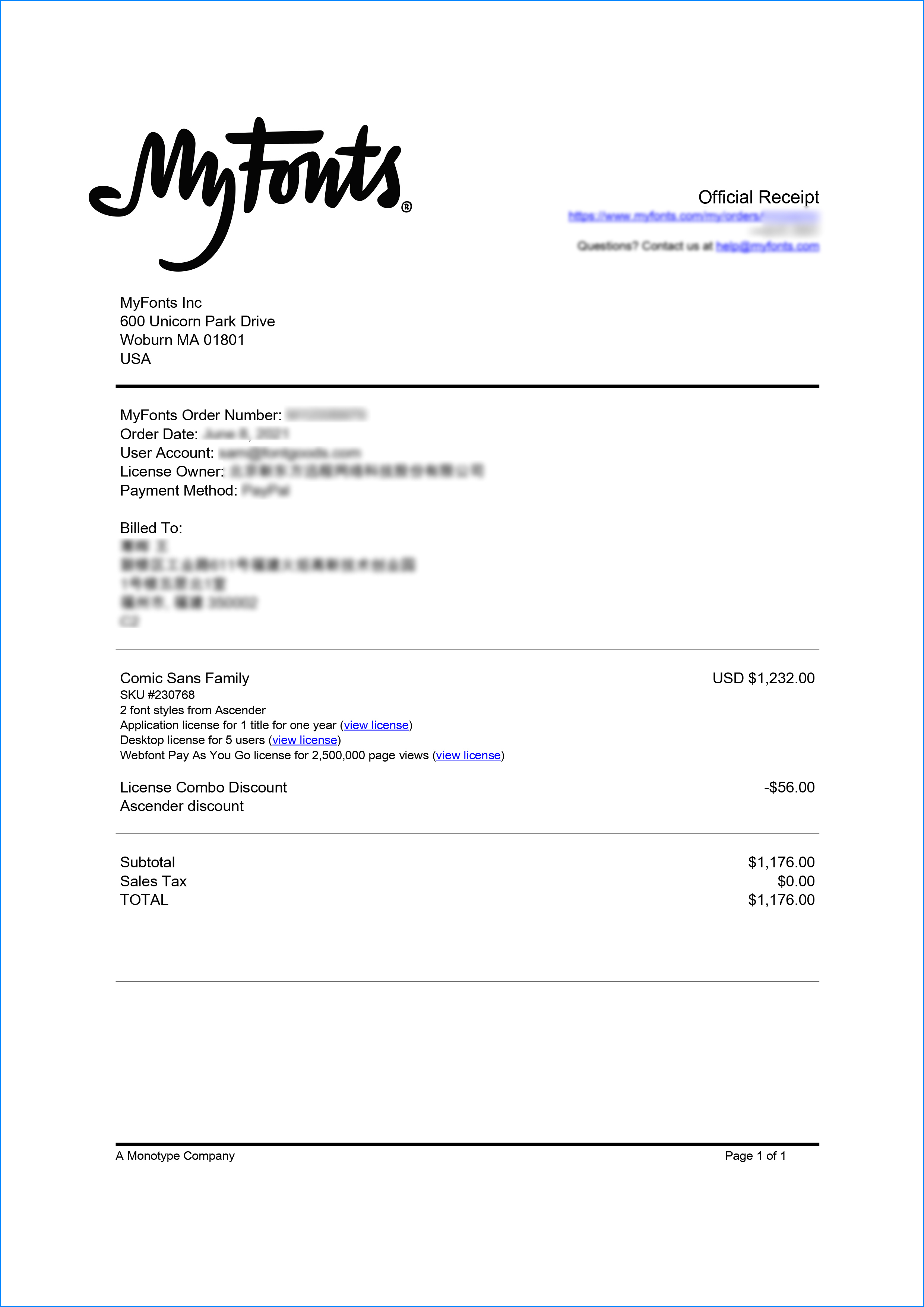
The official certificate of authorization can be viewed or downloaded in "personal Center - my order" (delivery within 2 working days after payment)
Formal invoice
Each order that generates actual payment can apply for issuing VAT invoice online.
a
m
p
l
e
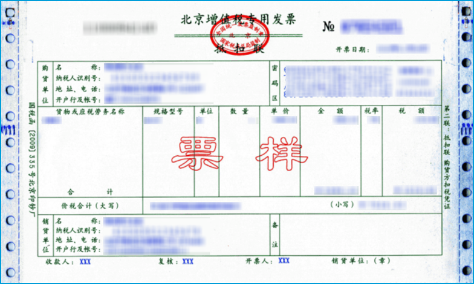
Invoicing process
1.Click "apply for invoicing" in the order list
2.Select or add your invoice header
3.Submit application
Invoice type
1. 增值税普通发票,税率:1%
2. 增值税专用发票,税率:1%
Invoice content: information technology service fee
注:电子发票发送到您的电子邮箱,电子票据与纸质票据具有同等法律效力。
Question
1.What should I do if the purchased goods have been taken down or there is currently no price available
The appearance of prompts such as "The purchasing party's product has been delisted", "There is currently no price", and "Updating price" on the purchasing agent's product page is due to a remote server reading failure. Please contact online customer service or WeChat customer service at 18610955775 for a detailed quotation
2.Common licensing methods for overseas fonts
Desktop License (Desktop)
"Desktop" refers to the computer, the desktop license allows you to install the fonts on your computer for offline design purposes, including the design of logos, posters, merchandise, magazines, etc. For example, the static images you design with fonts on your computer are allowed to be distributed at will (regardless of online or offline use); however, you cannot embed the fonts in any form. However, the font file cannot be embedded in your work in any form, that is to say, the font file cannot leave your computer, for example, it is not allowed to convert the font format and embed it in web pages or embed it in PPT and then distribute it; it should be noted that some copyright holders may additionally stipulate that the font is not allowed to be used for the design of LOGO and other specified purposes.
The license is usually licensed according to the number of users, the number of users refers to the number of computers that may have the font installed; the desktop license is generally valid for life, if there is a specified number of years our purchase page will be prompted; the works designed within the validity of the license can be used for life, but if you need to continue to use the font for design outside the validity of the license, you need to purchase a new license.
Webfont
As the name implies, webfont license is a kind of license that allows font files to be embedded into various web pages. Regardless of whether the font files are converted or not, and regardless of whether the font files are fully embedded or partially embedded, the license is required for any form of font files embedded into web pages.
Different copyright holders have different ways of selling web page licenses. In addition to the license period, they usually specify the total number of views or monthly views within the license period, you can choose to purchase according to your website needs.
Application License (App)
App license allows you to embed the font file into the APP you develop or operate, no matter it is game APP, education APP, music APP, any APP that embeds the font file needs to obtain the license.
Application license can be sold in various forms according to the license period, installed volume, APP quantity, etc.
E-book License (ePub)
The ePub license allows font files to be embedded in an electronic publication, but the font software cannot be installed in the operating system running the electronic publication.
This license can be sold in various forms such as license period, number of titles, total number of devices, and number of views.
Server License (Server)
The Server license allows you to install fonts on the licensed server in a way that they cannot be extracted, but not on any other computer or processing unit.
This license can be sold in various forms according to the license term, number of CPU cores, number of clients, etc.
Digital Ads License (Digital Ads)
The Digital Ads license allows you to access, download, and use the Web fonts provided in the Web Font Kit to create digital ads, but only for the purpose of publishing digital ads on the output device.
The license can be sold in a variety of formats based on license duration, number of releases, number of exposures, etc.
Translated with www.DeepL.com/Translator (free version)
3.When does the authorization of a substitute order take effect?
After you complete the payment, the service provider will procure the relevant authorization for you in the first time, and the authorization process will usually be completed within 24 hours. After the procurement is completed, you can view the authorization voucher in the order details and download the font file or apply for invoicing.
4.Advertising agency for the client design work by who to buy font license
Usually the "licensee" of font software license should be the end-user of the design solution, so the owner of the design solution must obtain the relevant authorization of the font used, and some authorization methods (such as desktop license) specify the number of terminals to be used, so all computers using the font for design or modification of the solution need to obtain authorization.
5.How to help customers buy licenses
You can select or add "Licensee" information when you submit your order, and fill in your customer information in the "Licensee" form.
6.How to install fonts
Windows system: Copy the font file directly to C:/Windows/Fonts, or right-click the font file and select "Install"; Mac system: Double-click the font file - click Install, or open "Applications "-"Font Book", drag the fonts into it.
7.How to find the font in PS and other software after installation
Due to the operating system or software version, if you can't find the installed font in the software, we suggest you restart the system first, the font may be shown in the list as Chinese or English name, please look for it carefully, as long as the font is installed successfully, the font must exist in the font list.
8.What to do if there is a risk warning during the payment process
When using WeChat, Alipay and other third-party payment tools to make large payment, risk prompts may be triggered. Please operate according to the following methods. You can also pay large orders through corporate transfer<










 京公网安备11010802038756号